Running user research at scale is a logistics problem as much as a research one. Between juggling devices, camera angles, recordings, and notes across tools that were never meant to work together, it's the setup overhead — not the thinking — that caps how many sessions a team can actually run.
User Study attacks that overhead. It's a native Mac app for teams running voice-assistant usability sessions — training, testing, and comparing assistants across devices — that brings multi-angle capture into one place, so researchers spend their time on participants instead of on rigging. I led design 0→1, building the tool around the realities of running back-to-back sessions.
Role
I led product design from 0→1, designing the native Mac experience around the realities of running back-to-back, multi-angle research sessions.
What shipped
- Designed a native Mac app that cuts the per-session setup overhead capping research teams.
- Centralized multi-angle capture — screen, workspace, and the assistant under test — so a session is one recording, not a rig of separate tools.
- Made session setup quick and repeatable, so capturing the tenth session takes no more rigging than the first.
- Kept sessions consistent across a study so findings stay comparable participant to participant.
Selected decisions
- Targeted the real bottleneck — setup and logistics overhead — rather than the analysis itself.
- Centralized multi-angle capture — phone screen, workspace, and the assistant under test — into a single session.
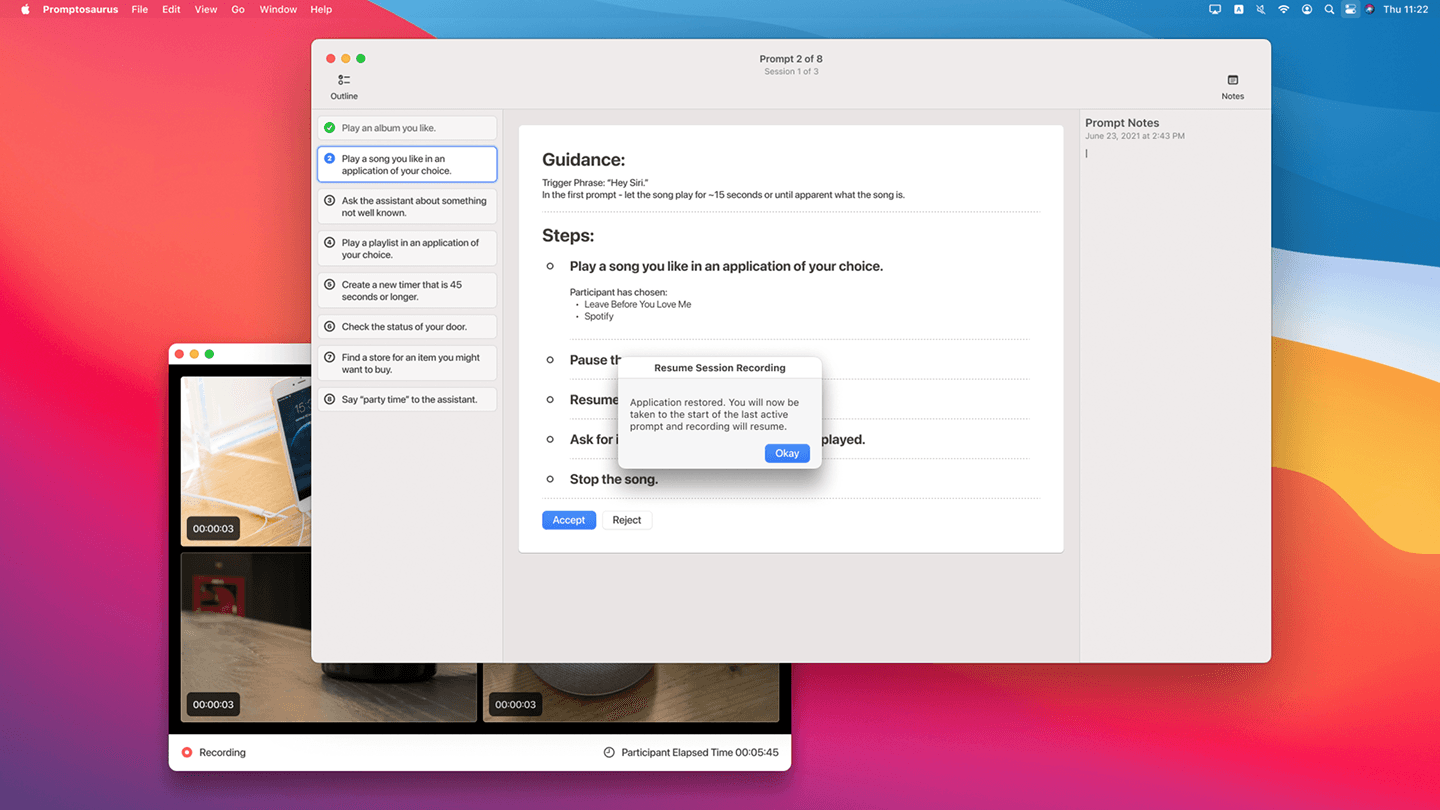
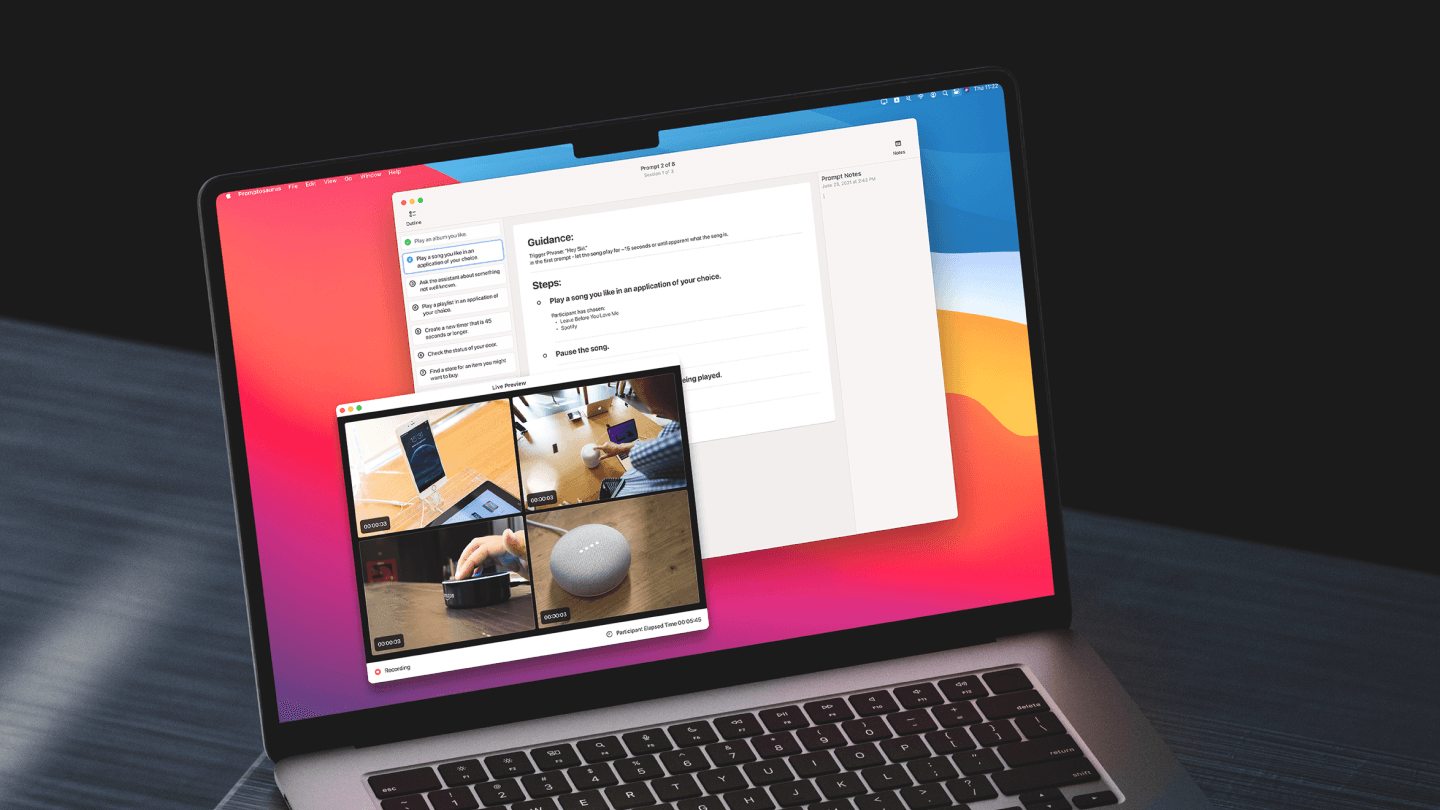
- Put every angle on one screen live during the session, so the moderator watches all feeds at once instead of glancing between devices.
- Kept recordings organized in a session stack that's easy to scan across a study.
- Embraced native Mac conventions and a focused dark UI that keeps attention on the footage.
Walkthrough
A closer look
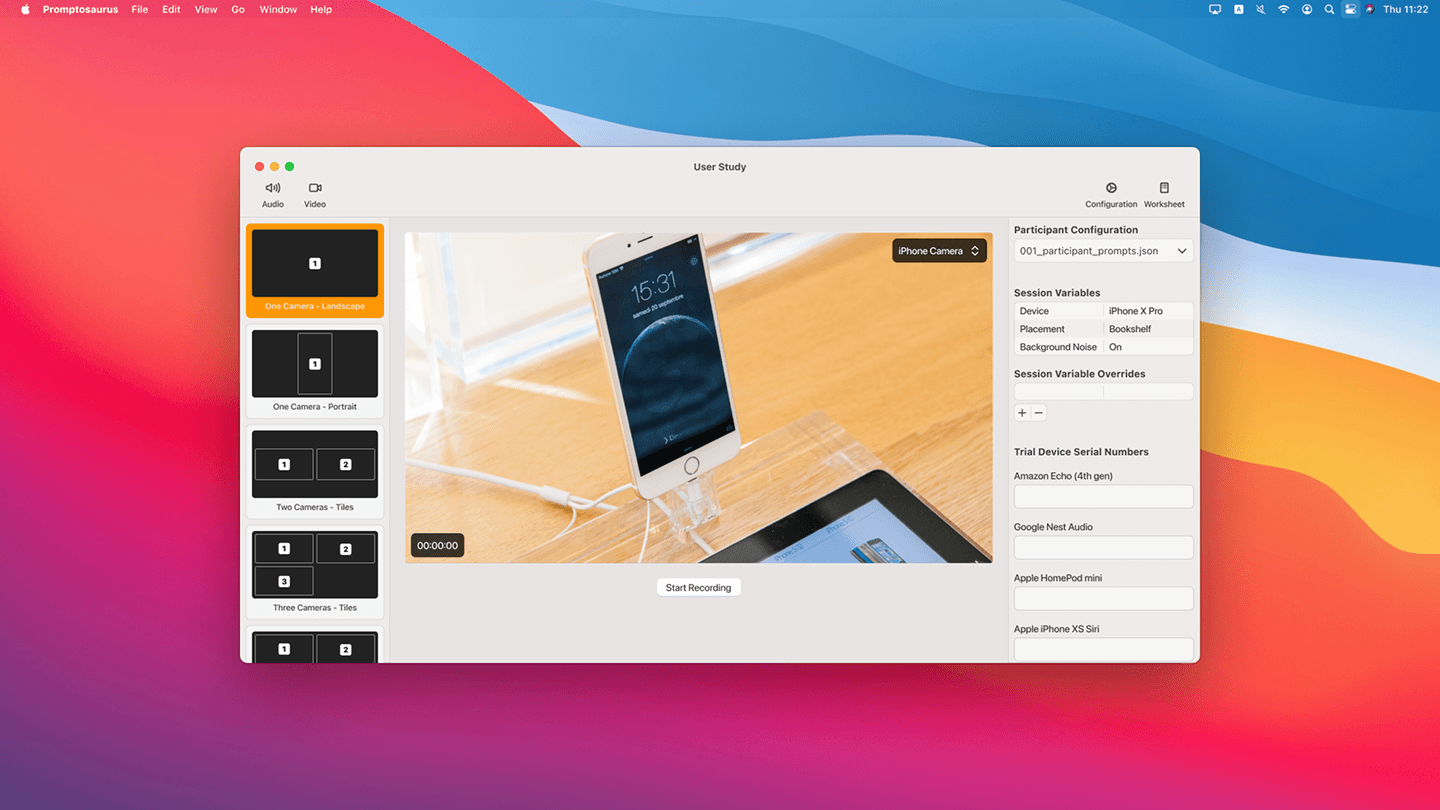
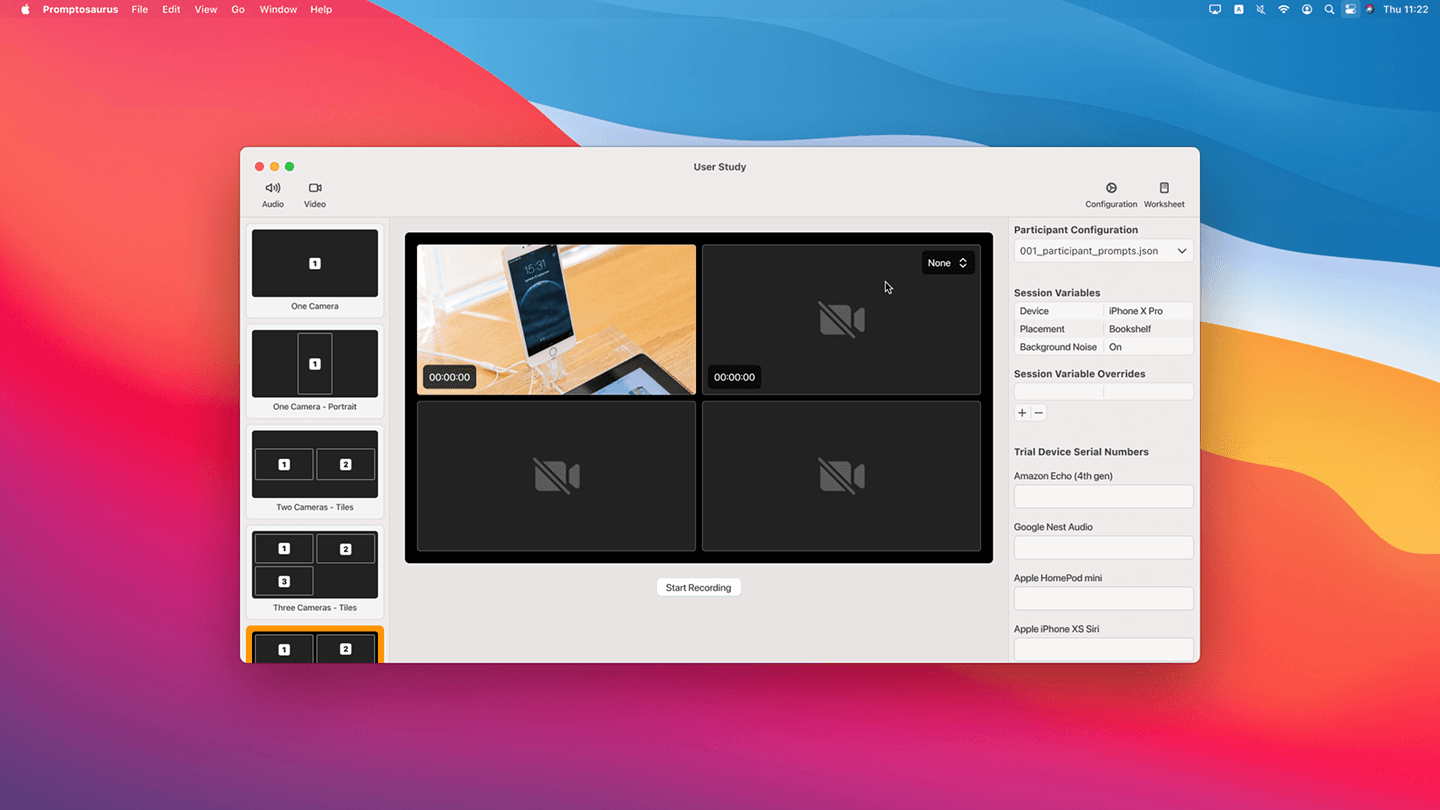
Because the limiting factor is setup rather than analysis, capture is consolidated: a session records several angles at once — the participant's phone screen, their workspace, and the voice assistant under test — as one recording, instead of a stack of separate tools a researcher has to wire up and reconcile afterward.
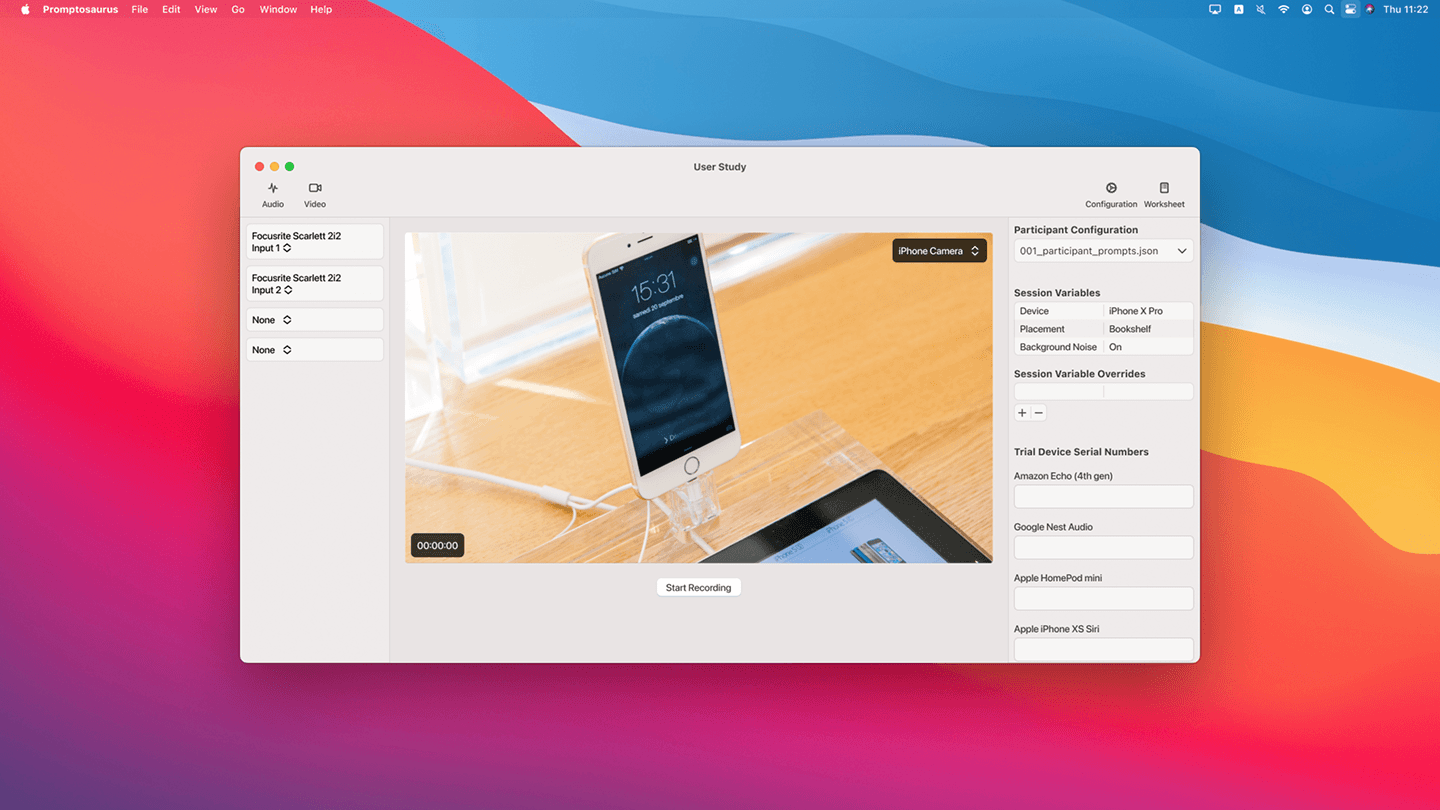
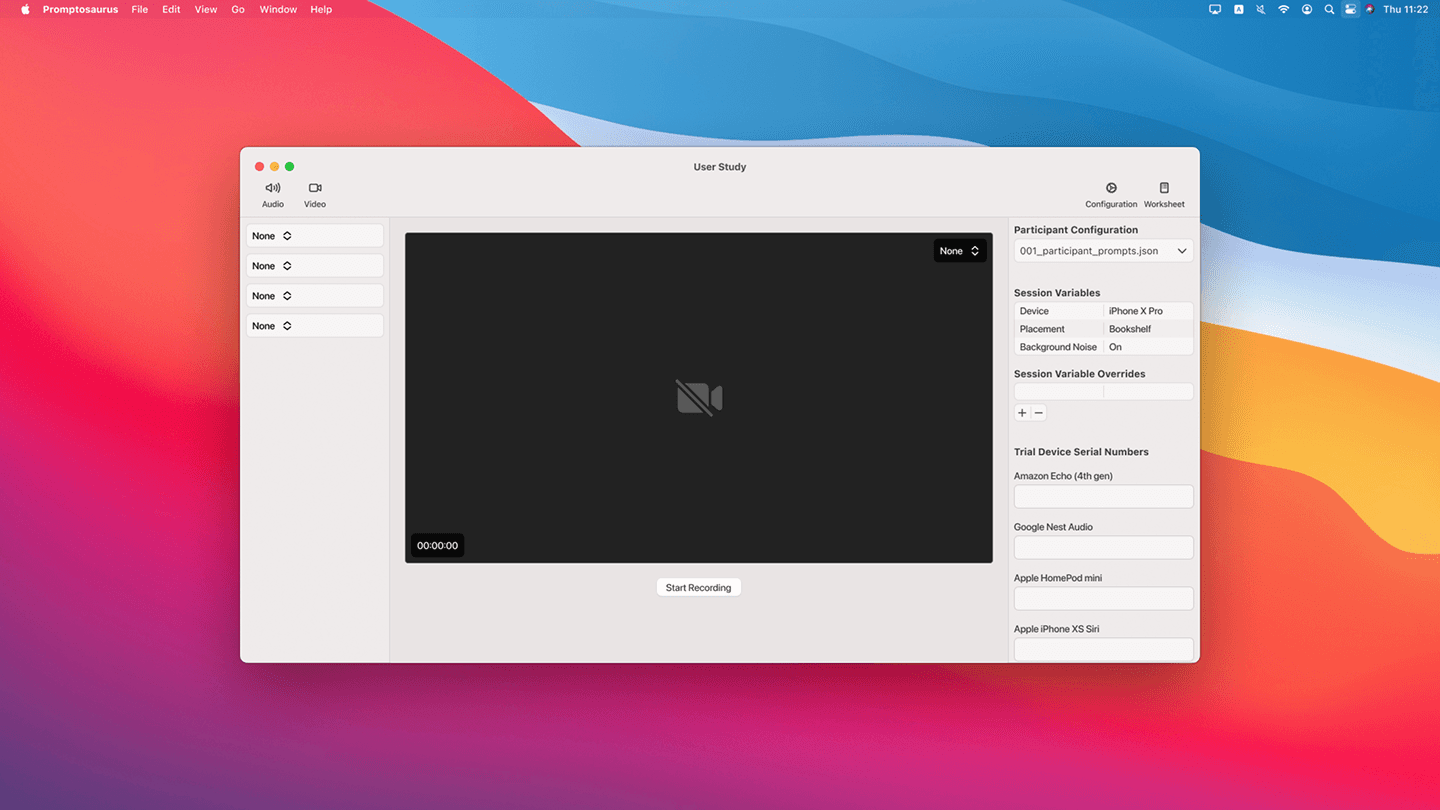
Setup is where sessions usually bleed time, so configuring a capture is quick and repeatable — the same in session ten as in session one — which is what lets a team run more of them.
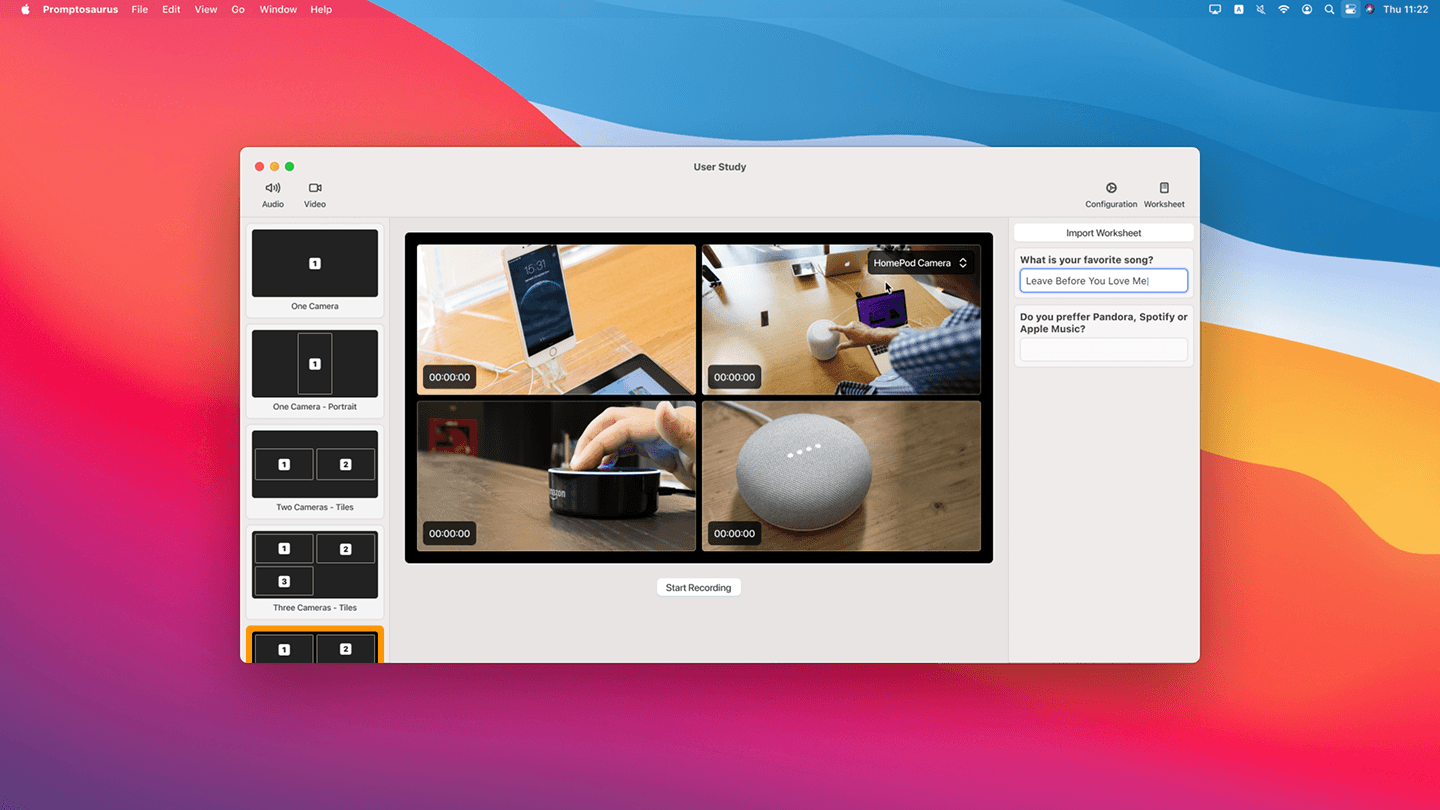
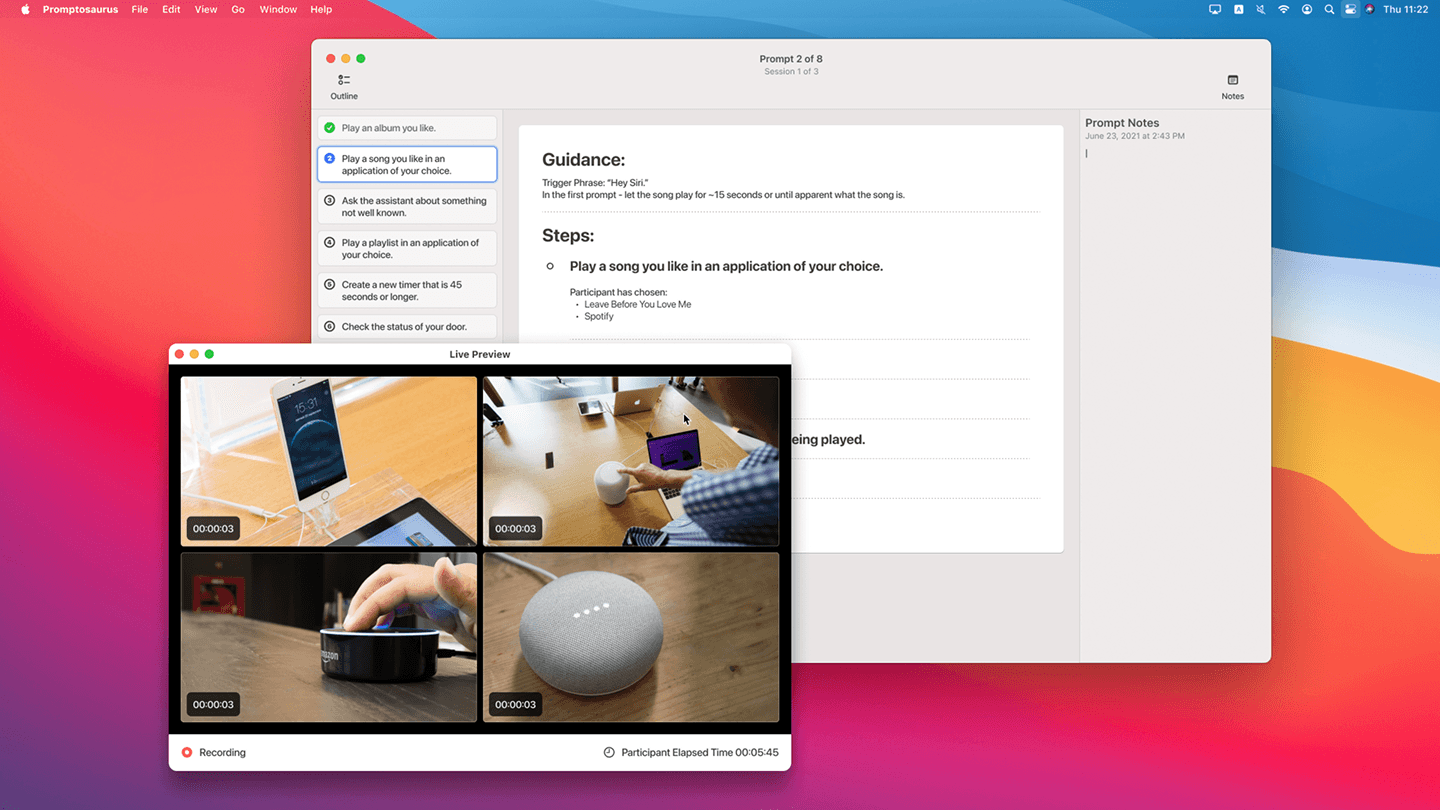
During a session every angle is on screen at once — the phone, the workspace, and the assistant — so the moderator can follow what's happening across all of them in real time instead of glancing between devices.
Notes happen in the moment, alongside the live feeds, so a moderator's observations are tied to the session as it's captured rather than written up afterward from memory.
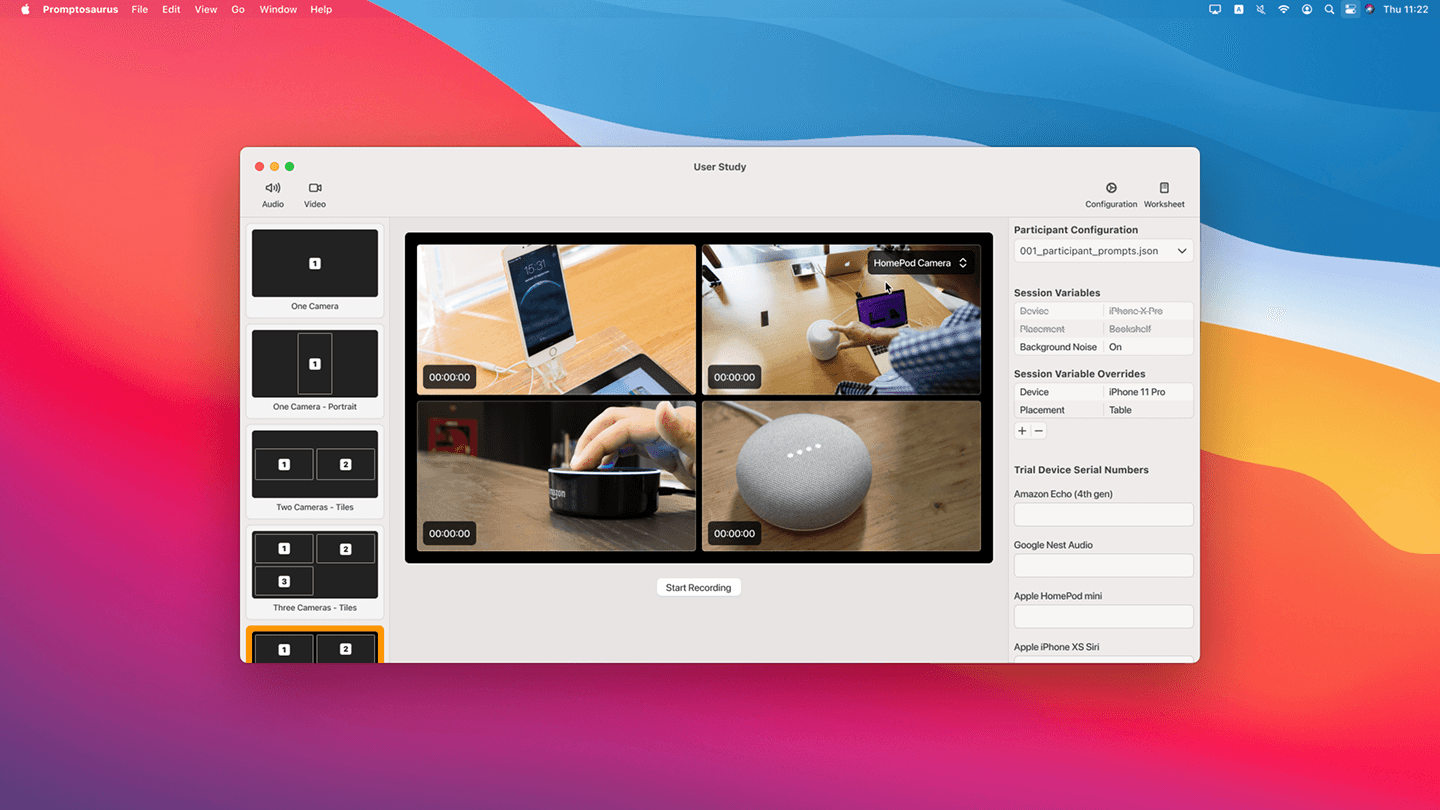
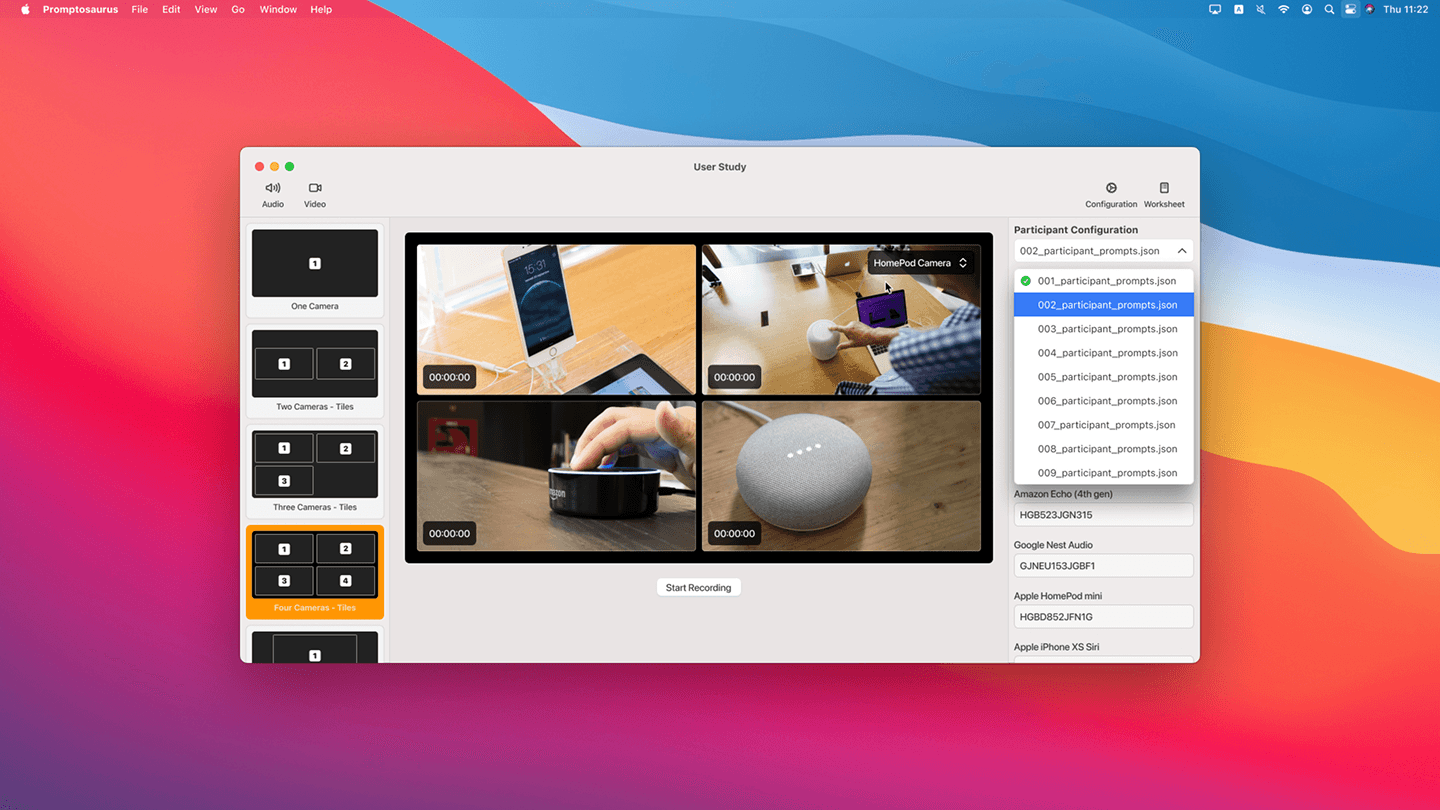
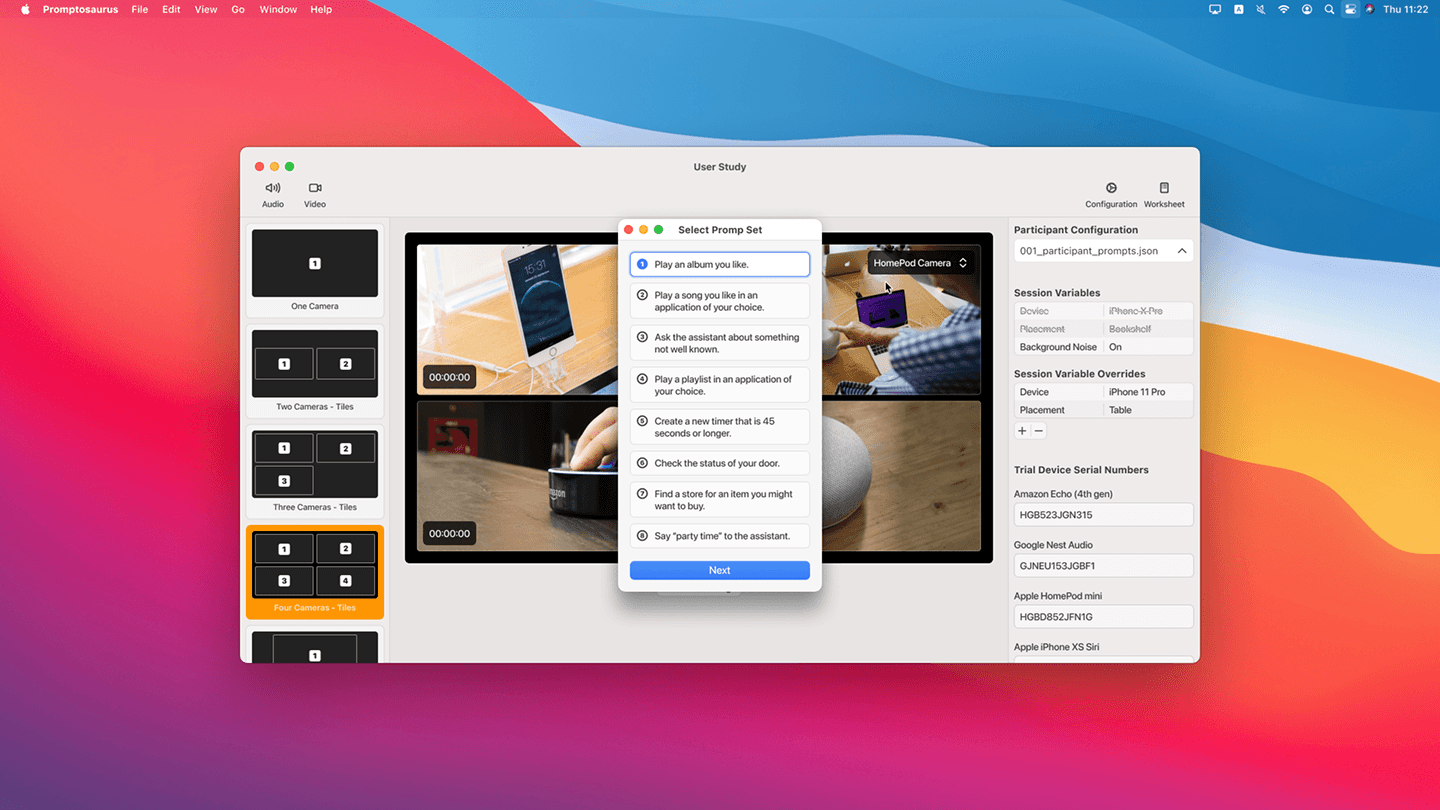
And sessions stay organized in a stack that's quick to scan, which keeps a whole study consistent and comparable across many participants. Throughout, it leans on native Mac conventions and a focused dark interface that keeps attention on the footage.